Castle Clash remains one of the most popular strategy games, attracting millions of players worldwide. Whether you’re a new player looking to start your adventure or a returning player eager to build a stronger kingdom, getting started with a free account is quick and easy. In this guide, we’ll show you how to create a Castle Clash account for free, claim beginner rewards, and make the most of the game’s free-to-play opportunities.
How to create a free Castle Clash account?
To create a free Castle Clash account, download the game and link it to your Google or Apple ID. The game automatically creates a new profile for you upon your first launch.
On Android:
- Download: Open Google Play Store, search “Castle Clash”, and install.
- Launch: Open the game. It auto-logs in via your active Google account.
- Link: Tap Settings (gear icon) > Account > Link to Google to save progress.
On iOS (iPhone / iPad):
- Download: Open App Store, search “Castle Clash”, and install.
- Check: Ensure Game Center is enabled in your iOS settings.
- Launch: Open the game. It auto-links to your Apple ID via Game Center.
On PC:
- Option 1: Install an Android emulator (BlueStacks/LDPlayer), log into Gmail, and download the game.
- Option 2: Download the official Windows version directly from the Microsoft Store.
Safety Tip:
- One email only stores one game account.
- To create a second account (smurf), you must use a brand new Gmail or Apple ID.
Free Castle Clash Accounts
| Login | Access Key |
|---|---|
| favouritegirl1999@hotmail.com | cheaston01 |
| binvi48753@naver.com | pink6763 |
| sambini321@naver.com | Hinbi34#%% |
| ekkoh321@naver.com | Lenobi35#% |
| leedy9999@naver.com | Jinbi35#$%@ |
| t1gger617@hotmail.com | 198716vn |
| shamilpopat28@hotmail.com | popat31 |
| jtrombotto@gcmayo.com | JTM260 |
| daym1984@hotmail.com | wad926 |
| antonia.v.anderson@gmail.com | ants3969 |
| josephine.violin@gmail.com | ilovemykitty101 |
| taylor.labus@gmail.com | Labii1985 |
| aleishakate@gmail.com | 730Thrive |
| conbi74323@gmail.com | Dingbnu85$#@ |
| mariannevanderwaals@gmail.com | byjola44 |
| studiophos@live.com | 1612dese |
| davidfader@gmail.com | david9681 |
| joduand@gmail.com | nevergonna |
| katolbotoko@gmail.com | taraaeut |
| Fyvf23@yahoo.com | GGEEDDSS |
| Guns864@gmail.com | Feys76457 |
| Grigoryanmisa229@gmail.com | Mika229 |
| airyancero@gmail.com | 09174814913937111 |
| knife9@gmail.com | knife7537 |
| qinbii2112@gmail.com | Onbni343!@$ |
How to Secure Your Castle Clash Account?
To secure your Castle Clash account, immediately link your game progress to a permanent platform like Google, Game Center, or Microsoft via the in-game settings menu. Never share your email credentials, passwords, or login verification codes with anyone, especially third-party websites promising free gems or cheats. Finally, screenshot and save your unique IGG ID from the settings page, as this ID is critical for customer support to verify your ownership and recover your account if it is ever lost or hacked.
Attention: The accounts mentioned on Gametimeprime are submitted by users or collected from other open-access portals. We not support any kind of hijacking or illegal use of accounts.
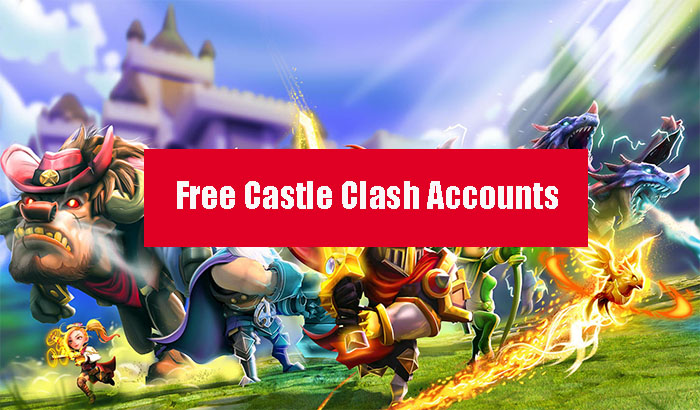
A game of gigantic proportions is Castle Clash! Employ strong Heroes to command your legion of legendary monsters. Become the best warlord in the world by fighting your way up.