
Want to create a Steam account on your phone quickly and easily? In this article, I’ll guide you step-by-step on how to register a new Steam account on Android or iPhone. Just follow these simple instructions and you can start downloading and playing your favorite games on Steam!
Make Steam Account On Phone
Steps to Create a Steam Account
Want to create a Steam account to download and play games on your Mobile? Here’s a simple guide to registering a Steam account on your phone in just a few minutes.
Step 1: Access the Steam Website
- Open your browser on your phone.
- Search for “Steam”.
- Open the official Steam website.
Step 2: Go to the registration page
- Tap the menu icon.
- Select Sign In.
- Continue by tapping Create an Account.
Step 3: Enter registration information
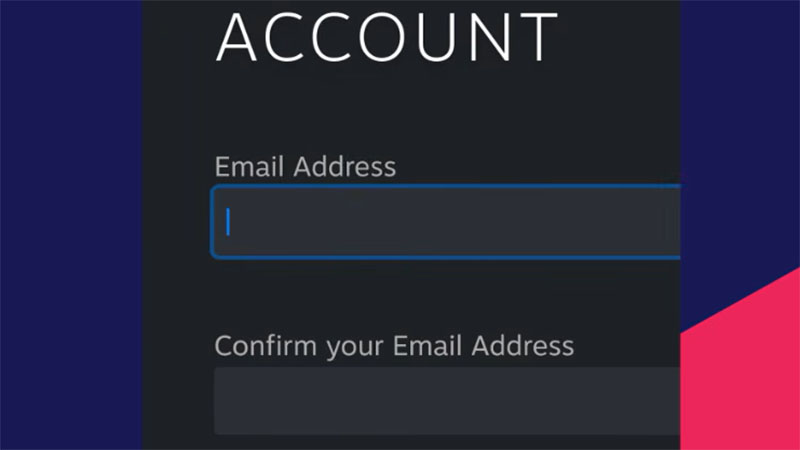
- Enter your email address.
- Confirm your email.
- Select your country.
Step 4: Verify security
- Tap I’m a human to verify the captcha.
- Check the box to agree to the terms and conditions.
- Click Continue.
Step 5: Email Verification
- Open the Gmail app.
- Find the verification email from Steam.
- Open the email and click Verify My Email Address.
Step 6: Create a Steam Account
- Return to Steam.
- Name your Steam account (the name must not already be taken).
- Create a strong password to secure your account.
- Click Done to complete.
After completing the above steps, your Steam account has been successfully created and is ready to use.
Now you can log in to Steam to download games, make friends, and experience thousands of exciting games.
Important Notes When Creating a Steam Account on Your Phone
- Use your primary email address for easy verification and account recovery if needed.
- Create a strong password including uppercase letters, lowercase letters, numbers, and special characters for increased security.
- Your Steam username must be unique; if already taken, try adding numbers or characters.
- Verify that the verification email is from Steam before confirming.
- Do not share your password or verification code with others.
- After creating your account, enable Steam Guard for better account protection.
- Only register accounts on the official Steam website.
Read more: Free Steam Accounts